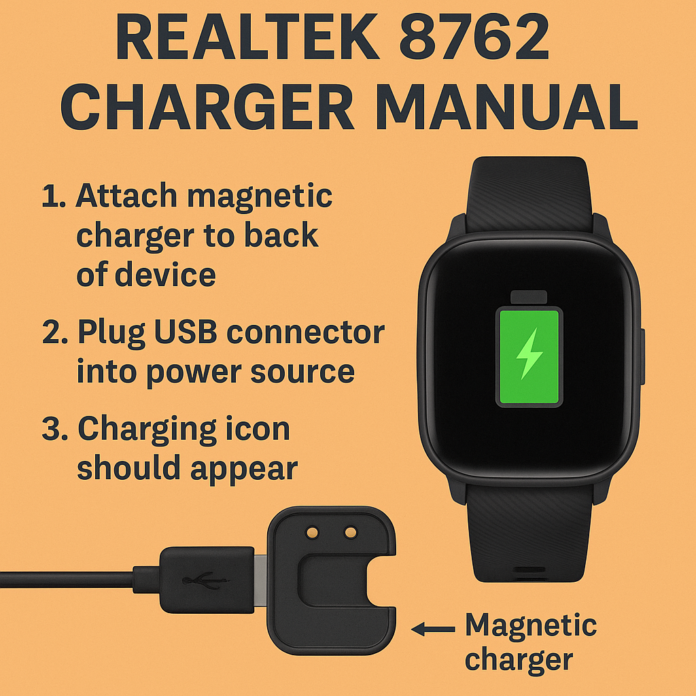

Devices powered by the Realtek RTL8762 chip, Such as budget-friendly smartwatches, fitness bands, and Bluetooth gadgets, have become popular for offering sleek design and strong functionality at a great price. But one of the most common questions users have is: How do I charge my Realtek 8762 device properly? This article serves as a clear and easy-to-follow charging manual for devices with the Realtek RTL8762 chipset. Whether your device didn’t come with instructions or you’re just unsure about best practices, this guide will help.
What Is the Realtek 8762 Chip?
Before diving into charging, let’s quickly touch on the Realtek RTL8762 series. It’s a low-power Bluetooth system-on-chip (Soc) used in many affordable smartwatches and wearable tech.
Key features include:
- Low energy Bluetooth 5.0
- Real-time heart rate monitoring
- Fitness tracking capability
- Always-on sensors
- Efficient power management
You’ll find it in many off-brand and OEM smartwatches and fitness trackers.
Charging Basics: What to Know First
Most Realtek 8762-powered devices are sold under brand names like:
- Y68, T500, or IWO smartwatches
- Generic fitness bands
- Unbranded Chinese smart devices
Charging methods vary slightly but usually fall into one of these types:
- Magnetic Pogo Pin Charger
- USB Plug-In Charger (integrated into the band)
- Clip-on Charger
Check which one your device uses before attempting to charge.
Step-by-Step Charging Instructions
Magnetic Charger (Most Common)
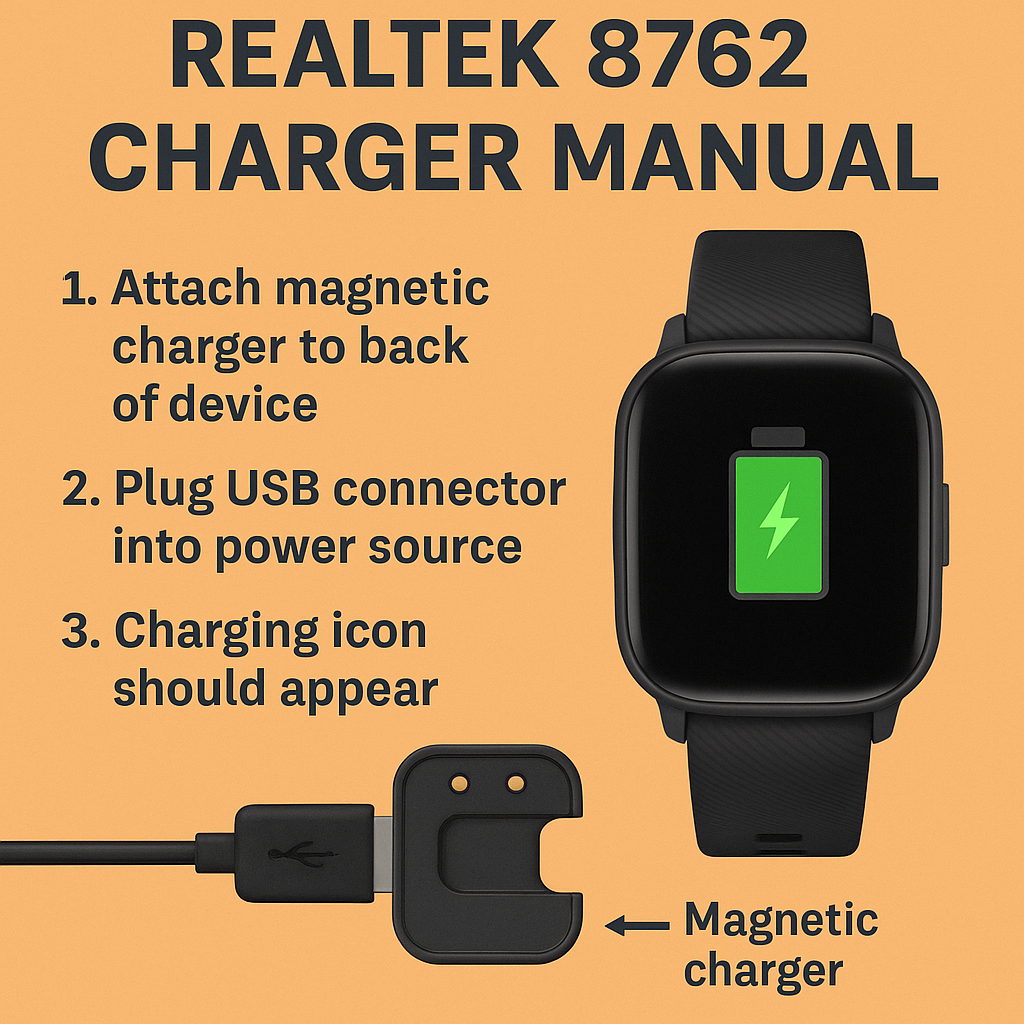
- Align the magnetic charger with the back of the device, where the metal contacts are located.
- Let the magnets snap into place, and ensure the pins align with the contacts.
- Plug the USB end into a 5v power source (laptop, power brick, or USB port).
- Charging should begin automatically. A battery icon or screen light may indicate this.
Tip: If it doesn’t start charging, clean the contact points gently with a dry cloth.
USB Built-In Charger (No Cable Required)
- Some bands require you to remove one strap to reveal a hidden USB plug.
- Gently slide or pull the watch strap off (usually from the top side).
- Look for the metal USB connector.
- Plug directly into any standard USB port (on a PC, adapter, or power bank).
- Watch the screen for a charging indicator.
Note: Make sure the pins are properly inserted. If inserted upside-down, it won’t charge.
Clip-On Charger
- Less common, but still used in some models.
- Open the clip and carefully position it around the device.
- Make sure the clip’s pins match the charging contacts on the watch.
- Plug the USB end into a charger or power outlet.
- Watch for vibration or a screen light to confirm that the device is charging.
How Long Does It Take to Charge?
Charging time depends on the device’s battery size, but on average:
- 1.5 to 2 hours for full charge
- Most devices have 90mAh–180mAh batteries
- Use only 5V/1A or 5V/2A chargers (avoid fast chargers)
Charging too fast can damage the battery or shorten its lifespan.
Common Charging Problems and Fixes
Device Won’t Charge
- Check for dust or dirt on the charging pins
- Confirm proper alignment of the magnetic charger
- Try a different USB port or adapter
- Inspect for bent pins on the charger
Screen Doesn’t Light Up
- Leave it charging for 10–15 minutes before trying to power on
- Try a different cable or charger
- Make sure the device isn’t already fully charged
Charger Gets Warm
- Slight warmth is normal
- If it’s hot, unplug immediately and try a different power source
Tips for Extending Battery Life
- Avoid overcharging—unplug once fully charged
- Don’t use fast chargers or high-wattage adapters
- Charge every 2–3 days for casual use
- Let the battery drop to around 20% before recharging (if possible)
- Store in a cool, dry place when not in use
Troubleshooting Checklist
| Issue | Solution |
| No power on charge | Try a different USB port, clean the pins |
| USB strap not working | Flip orientation, check USB port direction |
| Not holding a charge | The battery may be ageing or defective |
| Unknown brand/manual | Search by model number (usually on the backplate) |
READ MORE – Scat Pack Charger 392 Go Mango: Bold Muscle with Legendary Power
FAQs :
- How do I know which charger my Realtek 8762 device uses?
Check the back of the device or the user guide. If unclear, try gently removing a strap to see if there’s a USB plug. - Can I use a fast charger to charge my Realtek device?
No. Use only standard 5v/1a or 5v/2a chargers to avoid damage. - What if I lost the original charger?
You can find replacement magnetic or clip-on chargers online by searching your watch model number (e.g., Y68 charger). - Is it okay to charge overnight?
It’s not recommended. Overcharging regularly may shorten battery lifespan. - My watch vibrates but doesn’t turn on. What should I do?
Let it charge for 30 minutes, then try holding the power button for 5 to 10 seconds. If it still doesn’t turn on, the battery may need to be replaced.
Conclusion:
Owning a device powered by the Realtek 8762 chip can offer amazing value, but proper charging is crucial for optimal performance and lifespan. Whether you’re using a magnetic dock, USB strap, or clip-on cable, always use the correct voltage and follow safe charging practices. If your device didn’t include a manual, this article should serve as a reliable reference. A little extra care goes a long way, keep your Realtek 8762 smartwatch or band charged, safe, and ready to track every step.